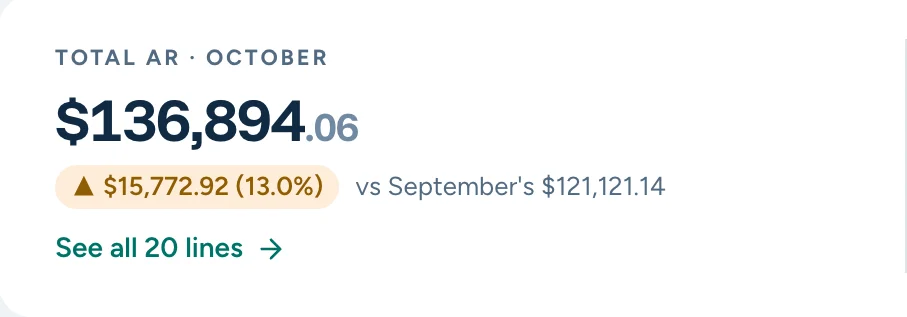
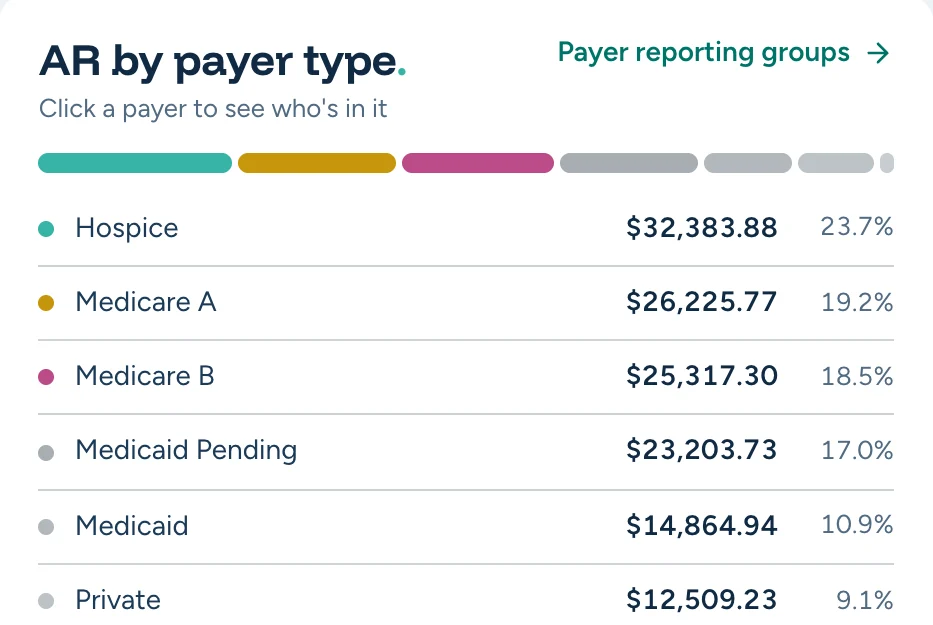
Month over month, line by line
Every resident’s balance by age, set against last month. Filter to what changed, what’s new and what nobody has reviewed.
JB compares this month with last, line by line, flags what moved, and lines up the sign-offs. Your team explains, approves and signs. Then the month locks.
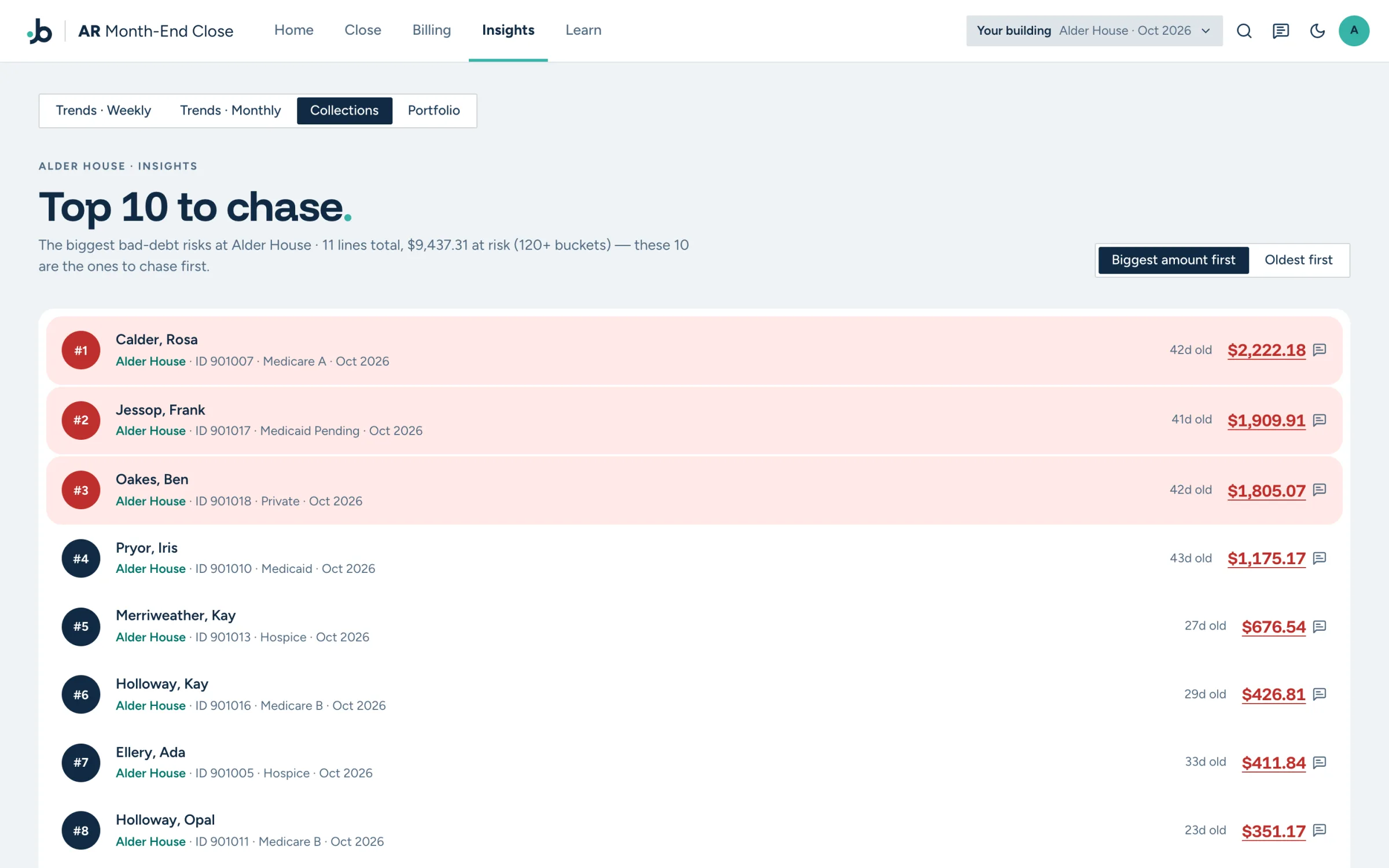
Screens from the AR app as it runs today, on synthetic data. No real residents, no real buildings.
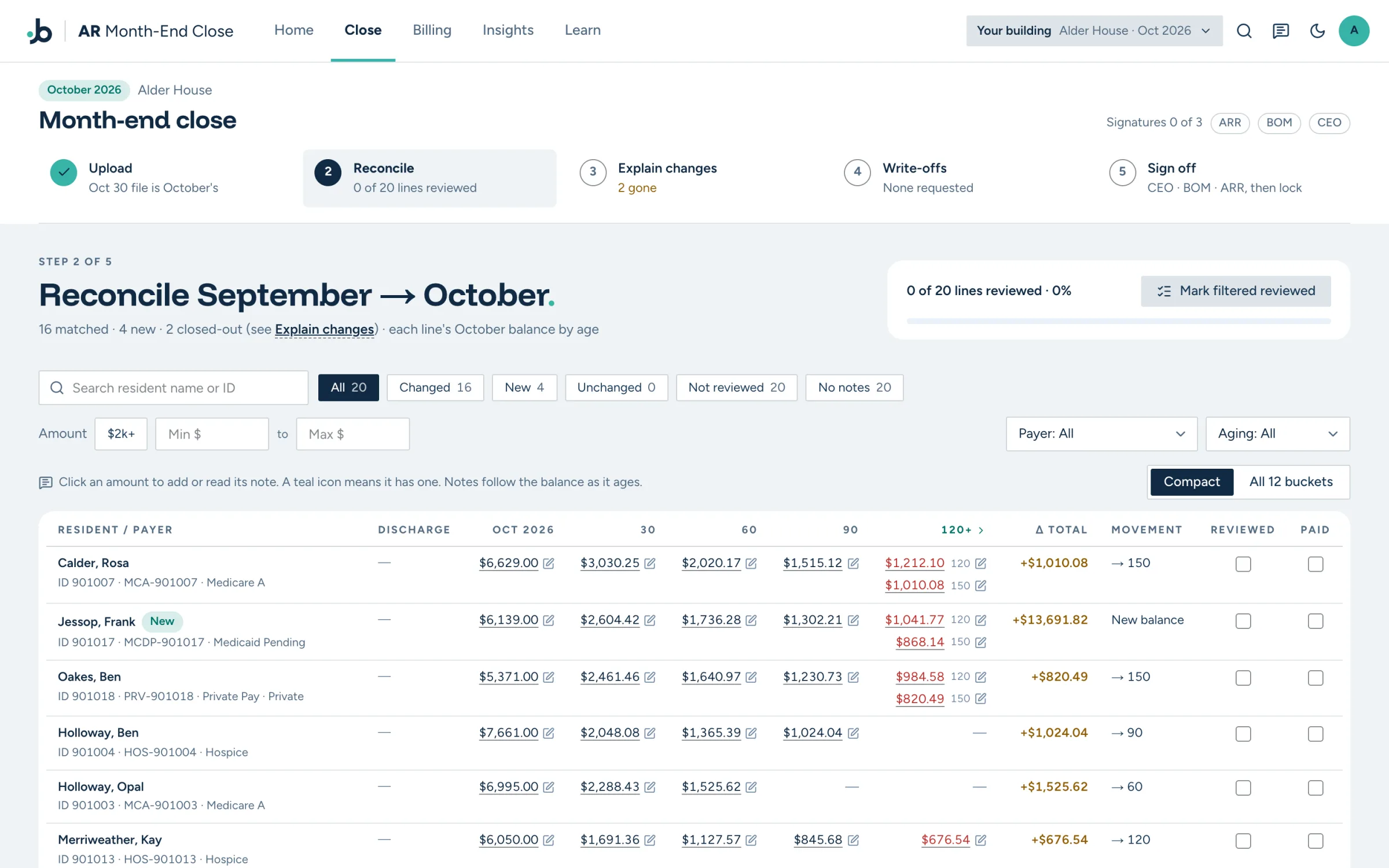
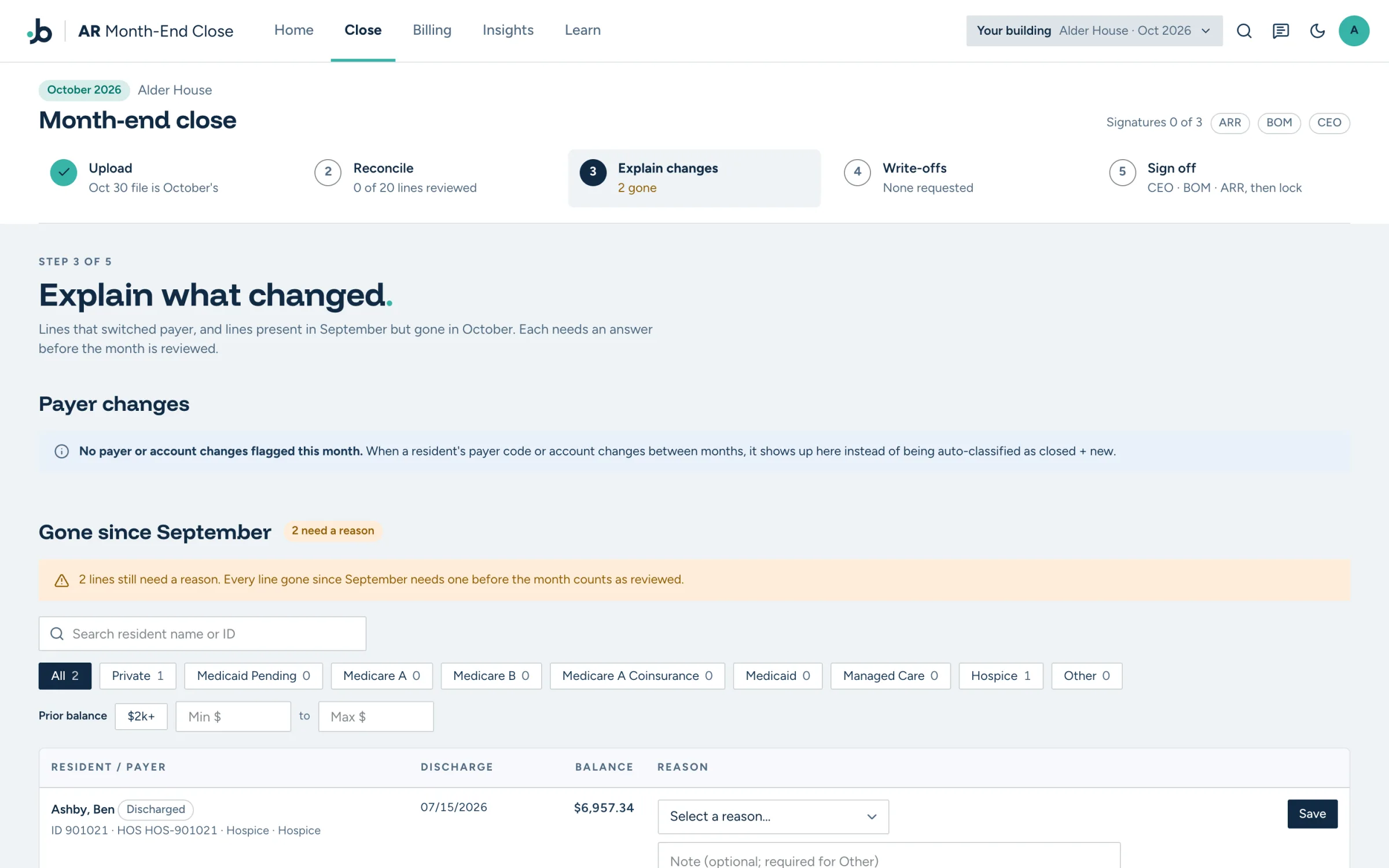
Reconcile: this month against last, line by line, across every aging bucket.Real screen · synthetic data
Every resident’s balance by age, set against last month. Filter to what changed, what’s new and what nobody has reviewed.
A note on a 90-day balance shows up again next month under 120 days, so nobody has to explain it twice.
Same resident, new payer: flagged as a change, not as one line closed and another opened.
Every balance gone since last month needs a reason: paid in full, written off, discharged or a payer change.
Bigger write-offs bring more approvers in automatically, and every request keeps its explanation.
Once the month is signed, its balances are frozen. A late upload can’t rewrite a closed month.